
OPEN SKY
Cyberpunk in Open Sky: a forecast in neon light
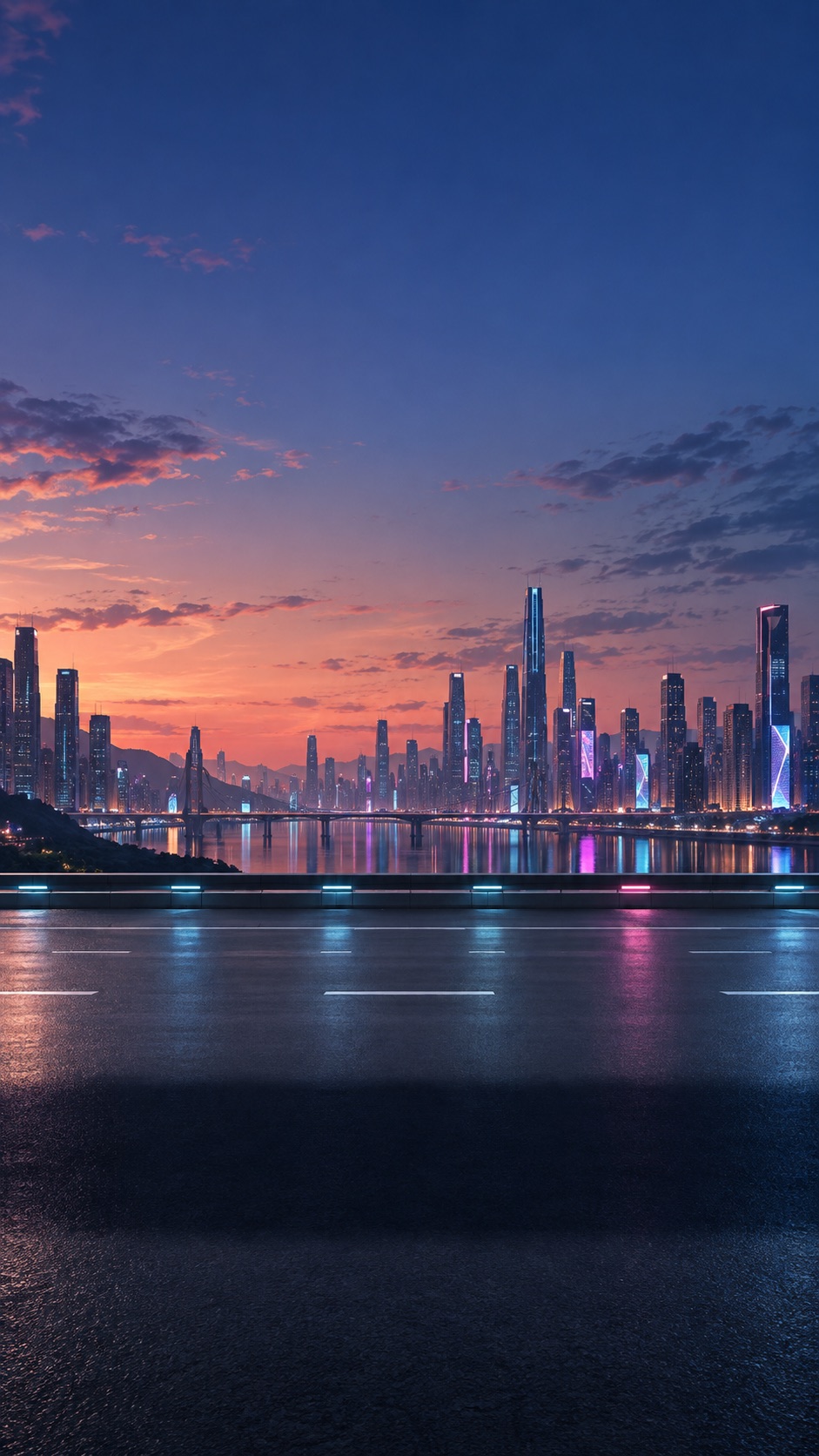
Instead of mountains or a bay, a skyline of tall buildings, a bridge over water and lights reflected on the road. Cyberpunk gives the Open Sky forecast an urban setting. Blue and pink neon meet a dark sky and warm light near the horizon.
What is in the scene?
The city sits in the distance. Lane markings cross the road in the foreground, with water and a bridge between the road and skyline. Your chosen car remains part of the view, framed by the towers behind it. This is stylized scenery, not a camera feed or a depiction of your forecast location.
Day, night and rain
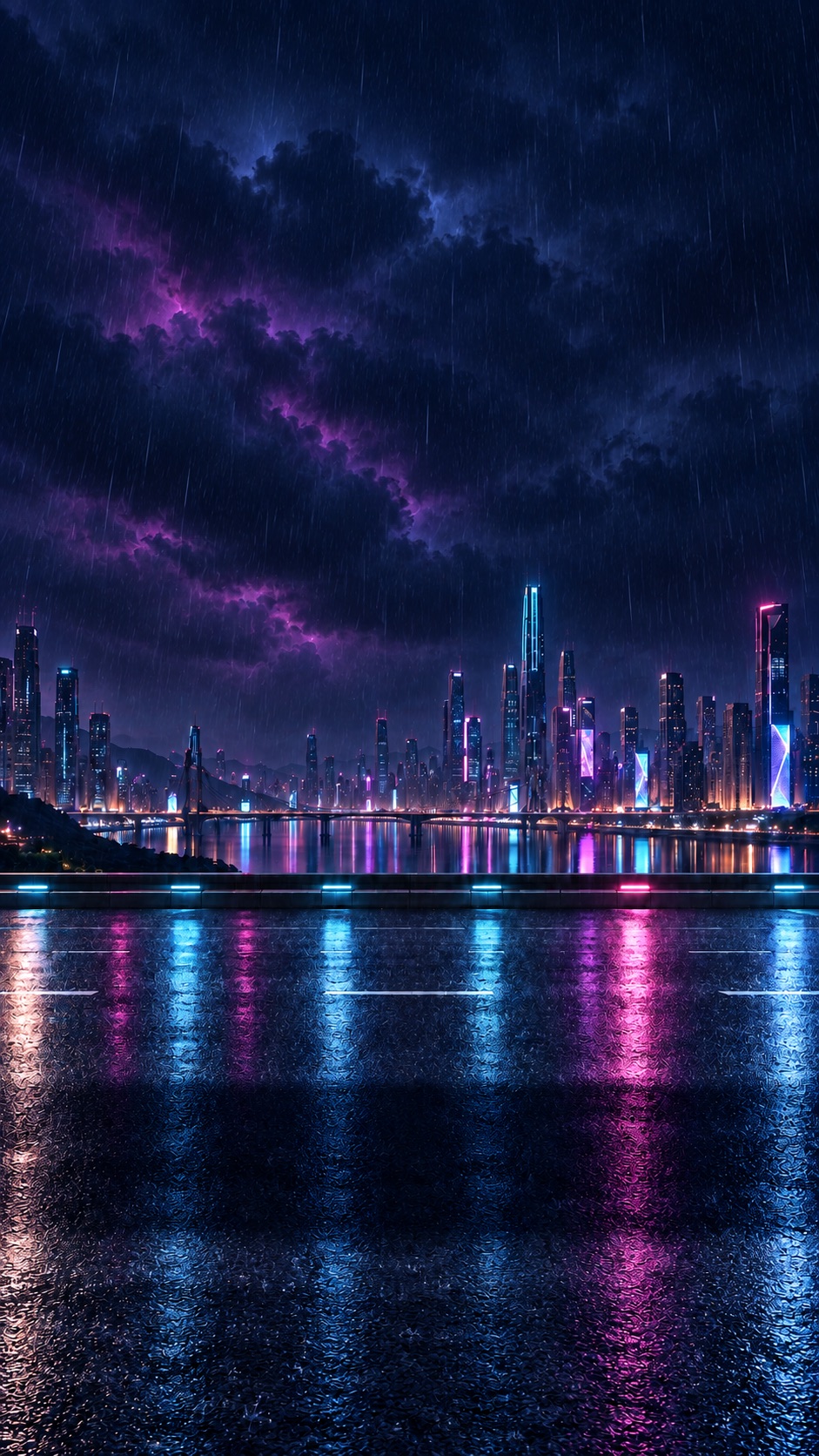
Cyberpunk has separate day and night backgrounds, with additional wet-weather variants. The app selects them according to the conditions and time of day in the displayed forecast. The rainy night variant shows darker clouds, rain streaks and strong reflections of coloured lights on the road.
How to choose Cyberpunk
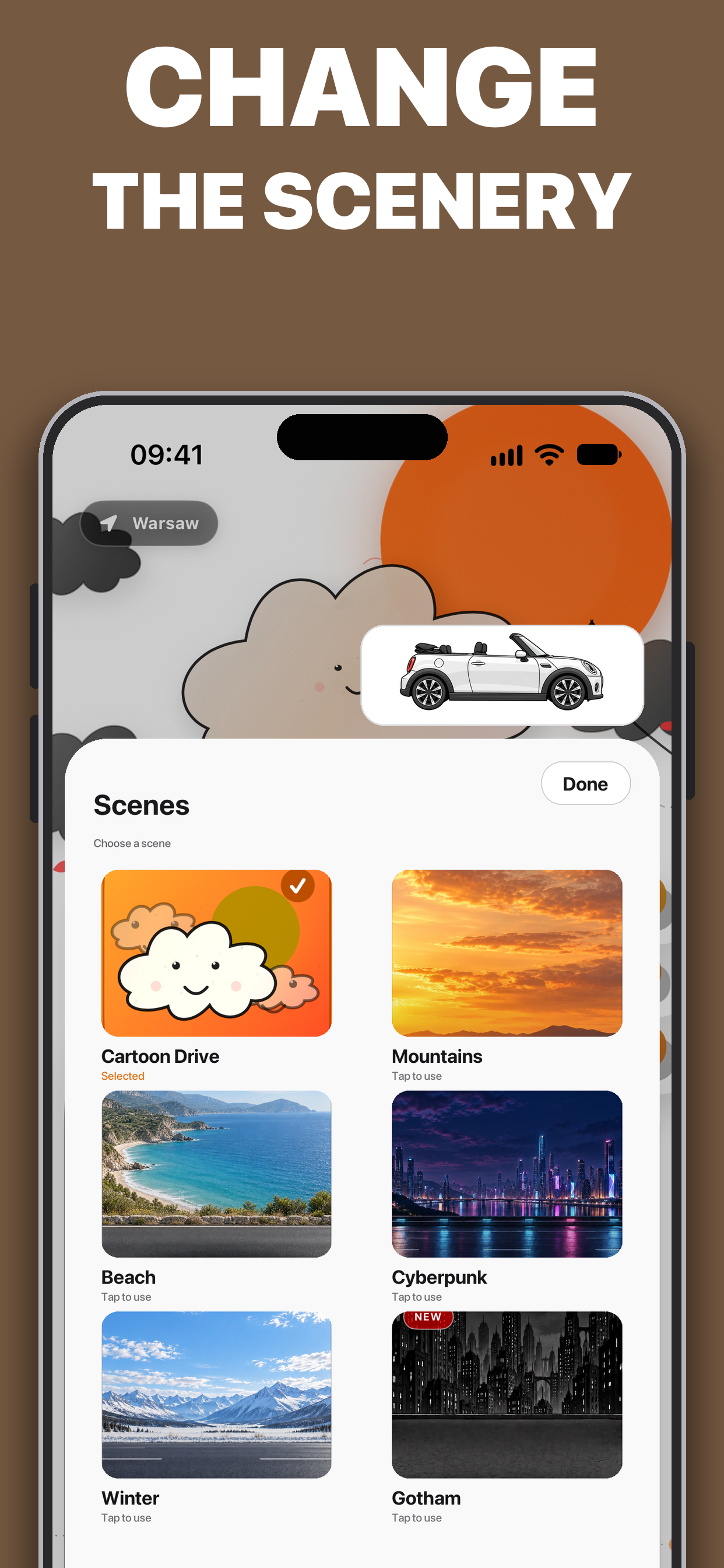
- On Open Sky’s main screen, open the scene picker using the palette button.
- In Scenes, find the Cyberpunk tile.
- Tap the tile. The scene is applied and the panel closes.
When you reopen the panel, a selection mark identifies your chosen scene. To keep Cyberpunk, select its tile rather than Random daily, which changes the scenery each day.
Scenery changes the appearance of your forecast
Choosing Cyberpunk does not move your location to a fictional city or change the weather data. Choose your car separately in the garage. After personalizing the view, check the place name, temperature, wind and hourly forecast.
Open Sky offers Premium purchases. Check current terms and personalization access in the app. The illustration and RIDE recommendation do not guarantee dry roads; consult local warnings before driving.
Want to compare settings? Explore Beach and Mountains too.
Open Sky
Find your next roof-down moment with Open Sky.

Available on the App Store · For iPhone